mickael-kerjean/filestash
Remote Storage Access: SFTP, S3, FTP, SMB, NFS, WebDAV, GIT, FTPS, gcloud, azure blob, sharepoint, etc.
Add to Claude Desktop config.json
{
  "mcpServers": {
    "mickael-kerjean-filestash": {
      "command": "node",
      "args": [
        "~/.mcp/filestash/index.js"
      ]
    }
  }
}
Get the source and run locally
git clone https://github.com/mickael-kerjean/filestash.git ~/.mcp/filestash
cd ~/.mcp/filestash
About this MCP server
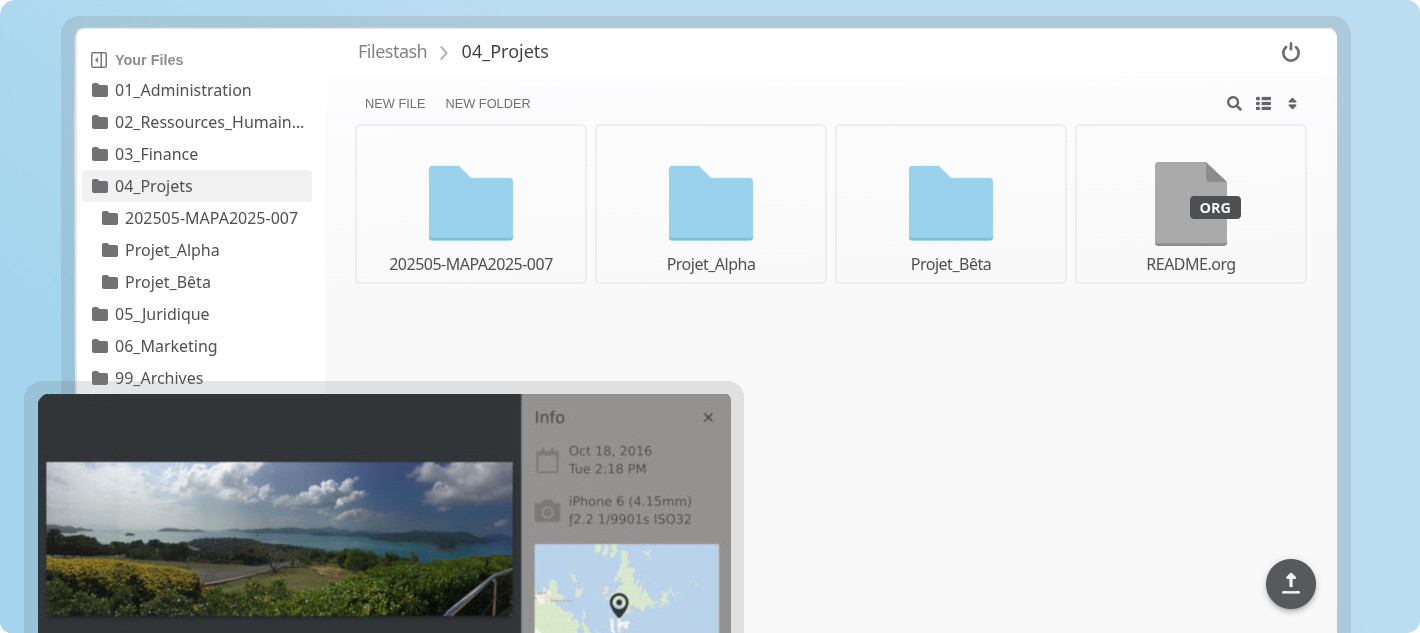
What is this?
It started as a storage agnostic Dropbox-like file manager that works with every storage protocol: FTP, SFTP, S3, SMB, WebDAV, IPFS, and about 20 more.
It grew into what we want to be the world's best file management platform, where everything that's not a fundamental truth of the universe lives in a plugin. Where other platforms are take-it-or-leave-it, ours gives you a rock solid core and a plugin system to handle opinions, so however deep requirements go, the only limit won't be technical but your own creativity.
Key Features
- Plugin Driven Architecture: everything that matters is a plugin, browse the ecosystem or build your own. With this approach, you get exactly what you need without overhead and bloat.
- Universal Access: the web client is just one way to access your data (albeit an awesome one, handcrafted in vanilla JS). APIs and Gateways let you also expose your data over protocols like SFTP, S3, FTP, WebDAV, MCP, and AS2.
- Integrations: our explicit goal is to support 100% of storage and authentication technologies on the market. Beyond your usual options, you can go much further, like a virtual filesystem delegating authentication to your WordPress site and using its roles to drive RBAC authorization.
- Workflow Engine: automate anything that happens to your files by chaining actions on events, from simple notifications via Slack or email to full on MFT pipelines and everything in between.
- File Apps: use any of the existing apps or build your own, from astronomy to embroidery and everything in between like:
- photography: heif, nef, raf, tiff, raw, arw, sr2, srf, nrw, cr2, crw, x3f, pef, rw2, orf, mrw, mdc, mef, mos, dcr, kdc, 3fr, erf and srw
- astronomy: fits, xisf
- science: with latex, plantuml & pandoc compilers
- music: mid, midi, gp4 and gp5
- GIS: geojson, shp, gpx, wms and dbf
- data engineering: parquet, arrow, feather, avro, orc, hdf5, h5, netcdf, nc, rds, rda and rdata
- dev: a, so, o, dylib, dll, tar, tgz, zip, har, cap, pcap, pcapng and sqlite
- creative work: svg, psd, ai, sketch, cdr, woff, woff2, ttf, otf, eot, exr, tga, pgm, ppm, dds, ktx, dpx, pcx, xpm, pnm, xbm, aai, xwd, cin, pbm, pcd, sgi, wbmp and rgb
- biomedical: dicom, sam, bam, cif, pdb, xyz, sdf, mol, mol2 and mmtf
- autodesk: dwg and dxf
- adobe: psd, ai, xd, dng, postscript, aco, ase, swf
- 3d: fbx, gltf, obj, stl, step, mesh, ifc, dae
- embroidery: dgt, dst, dsb, dsz, edr, exp, 10o, col, hus, inf, jef, ksm, pcm, pcs, pes, sew, shv, sst, tap, u01, vip, vp3 and xxx
- e2e: pgp, gpg
- Themes:
</li>
<li>AI features for <a href="https://www.filestash.app/docs/guide/search.html">search</a>, <a href="https://www.filestash.app/features/smart-folder.html">smart folders</a> and OCRs.</li>
<li>... and much <sub>much <sub>more (versioning, audit, public site, antivirus, quota, chat, chromecast support, on demand video transcoding, mounting shared links as network drive, ....)</sub></sub><br> As a rule of thumb, if your problem involves files, we either already <a href="https://www.filestash.app/docs/plugin/">have a plugin</a> for it or can make a plugin for it
Getting Started
To install Filestash, head to the Getting started guide. If you want to leverage plugins, head over to the inventory, or learn about developing your own plugins.
If you want guidance and expert help on your file management problem, book a call and let’s figure out if Filestash is the right platform for you.
Vision & Philosophy
Our goal is simple: to build the best file management platform ever made. Period. But “best” means different things to different people, so we made everything pluggable. The core defines interfaces, plugins implement them. Disagree with our implementation? Write your own. Anything that isn’t a fundamental truth of the universe and might spark a debate belongs in a plugin. Literally every piece listed in the key features is a plugin you can swap for another implementation or remove entirely.
Say you want to give your users a Dropbox like experience on top of your existing FTP server (remember the FTP guy during the Dropbox launch on HN?). All the FTP plugin does is implement this interface:
type IBackend interface {
	Ls(path string) ([]os.FileInfo, error)           // list files in a folder
	Stat(path string) (os.FileInfo, error)           // file stat
	Cat(path string) (io.ReadCloser, error)          // download a file
	Mkdir(path string) error                         // create a folder
	Rm(path string) error                            // remove something
	Mv(from string, to string) error                 // rename something
	Save(path string, file io.Reader) error          // save a file
	Touch(path string) error                         // create a file

	// I have omitted 2 other methods, a first one to enable connections reuse and
	// another one to declare what should the login form be like.
}
There are interfaces you can implement for every key component of Filestash: from storage, to authentication, authorisation, custom apps, search, thumbnailing, frontend patches, middleware, endpoint creation and a few others documented in the plugin development guide.
To see what’s currently installed in your instance, head over to /about. The inventory of plugins is documented here
Support
- Commercial Users → support contract
- For individuals:
- #filestash on IRC (libera.chat)
- Bitcoin:
3LX5KGmSmHDj5EuXrmUvcg77EJxCxmdsgW - Open Collective
Credits
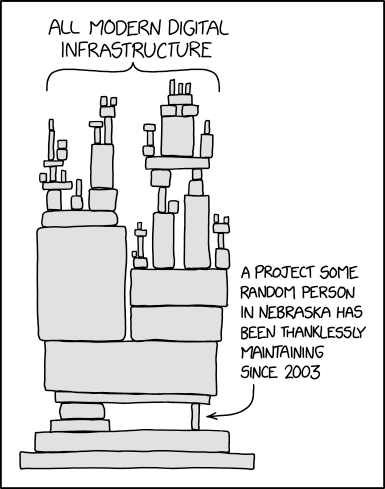
Filestash stands on the shoulder of: contributors, folks developing awesome libraries, a whole bunch of C stuff (the C standard library, libjpeg, libpng, libgif, libraw and many more), fontawesome, material, Browser stack to let us test on real devices, and the many guys from Nebraska and elsewhere who have been thanklessly maintaining the critical pieces that Filestash sits on top:
Similar MCP servers
MCP tool access to MarkItDown -- a library that converts many file formats (local or remote) to Markdown for LLM consumption.
Golang implementation for local file system access.
Share code context with LLMs via MCP or clipboard
Model Context Protocol (MCP) Server for reading from Google Drive and editing Google Sheets.
AI-native directory visualization with semantic analysis, ultra-compressed formats for AI consumption, and 10x token reduction. Supports quantum-semantic mode with intelligent file categorization.