elie222/inbox-zero
Inbox Zero için bir MCP sunucusu. Gmail üzerinde yanıtlamanız gereken veya takip etmeniz gereken e-postaları bulma gibi işlevler ekler.
Claude Desktop config.json'a ekle
{
  "mcpServers": {
    "elie222-inbox-zero": {
      "command": "node",
      "args": [
        "~/.mcp/inbox-zero/index.js"
      ]
    }
  }
}
Kaynak kodu al ve yerel olarak çalıştır
git clone https://github.com/elie222/inbox-zero.git ~/.mcp/inbox-zero
cd ~/.mcp/inbox-zero
Bu MCP sunucusu hakkında
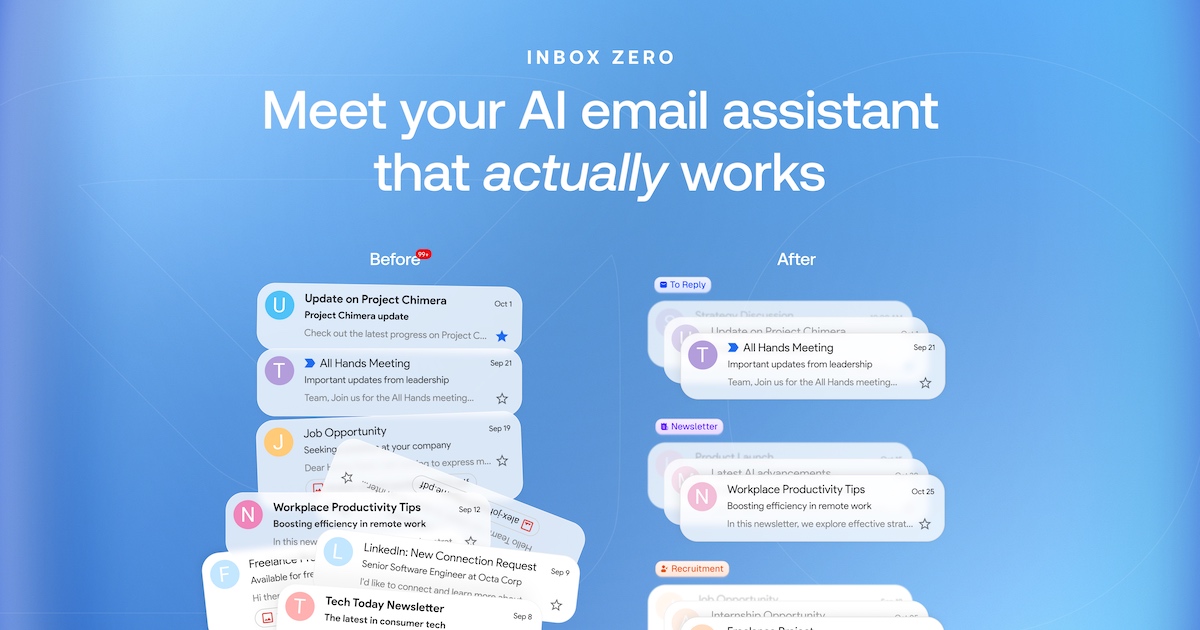
Inbox Zero - 7/24 AI e-posta asistanınız
İnboxunuzu düzenler, yanıtları önceden hazırlar, takvimini yönetir ve ekleri organize eder. Inbox'unuzu hareket halindeyken yönetmek için Slack veya Telegram üzerinden sohbet edin. Fyxer'in açık kaynak alternatifi, ancak daha özelleştirilebilir ve güvenli.
Website
·
Discord
·
Issues



Misyon
Inbox'ta daha az zaman harcamanıza yardımcı olmak, böylece gerçekten önemli olan şeylere odaklanabilirsiniz.
Özellikler
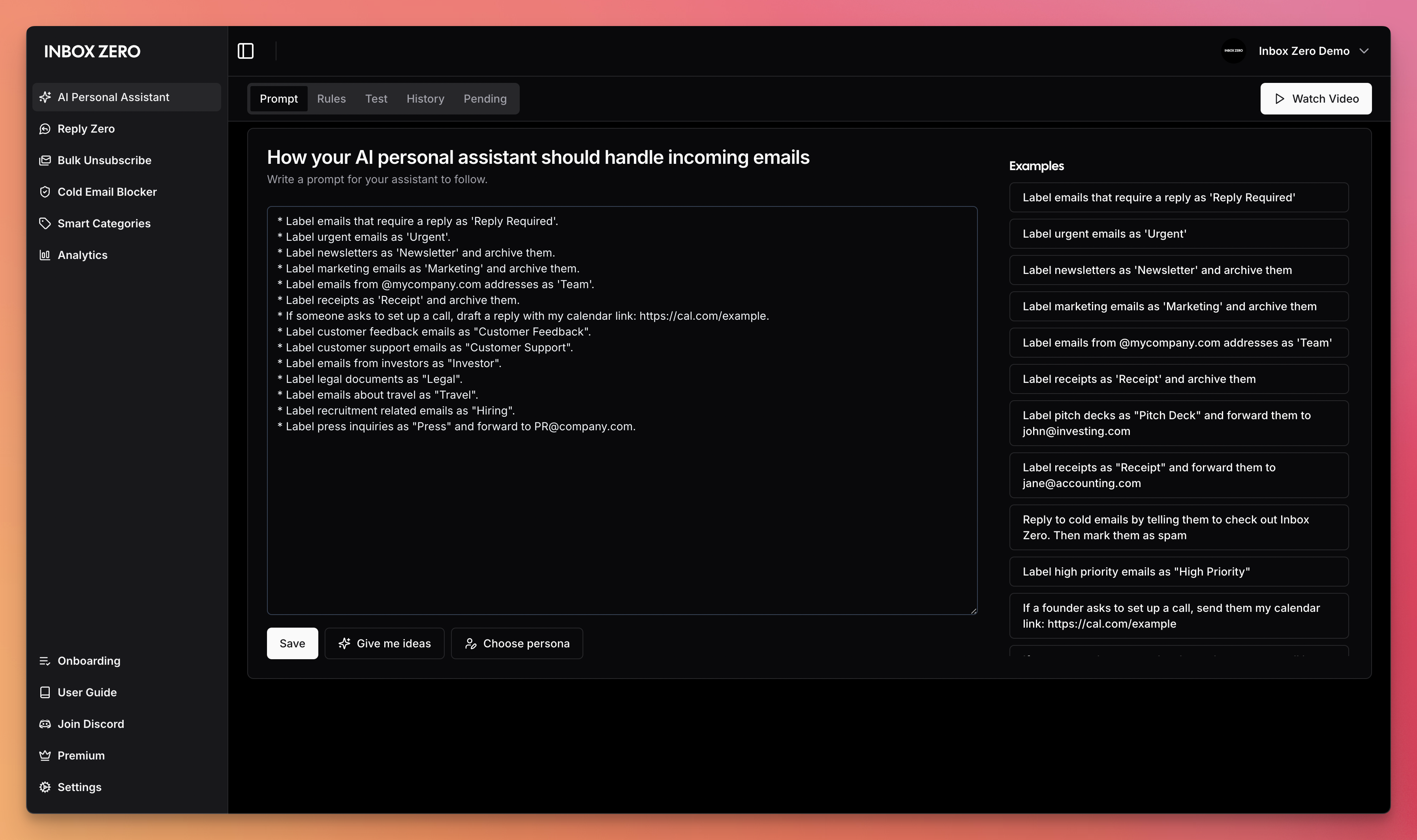
- AI Kişisel Asistanı: İnbox'unuzu düzenler ve yanıtları sizin ton ve stilinizde önceden hazırlar.
- E-posta için AI Kuralları: AI'ınızın inbox'unuzu nasıl yönetmesi gerektiğini basit İngilizce ile açıklayın.
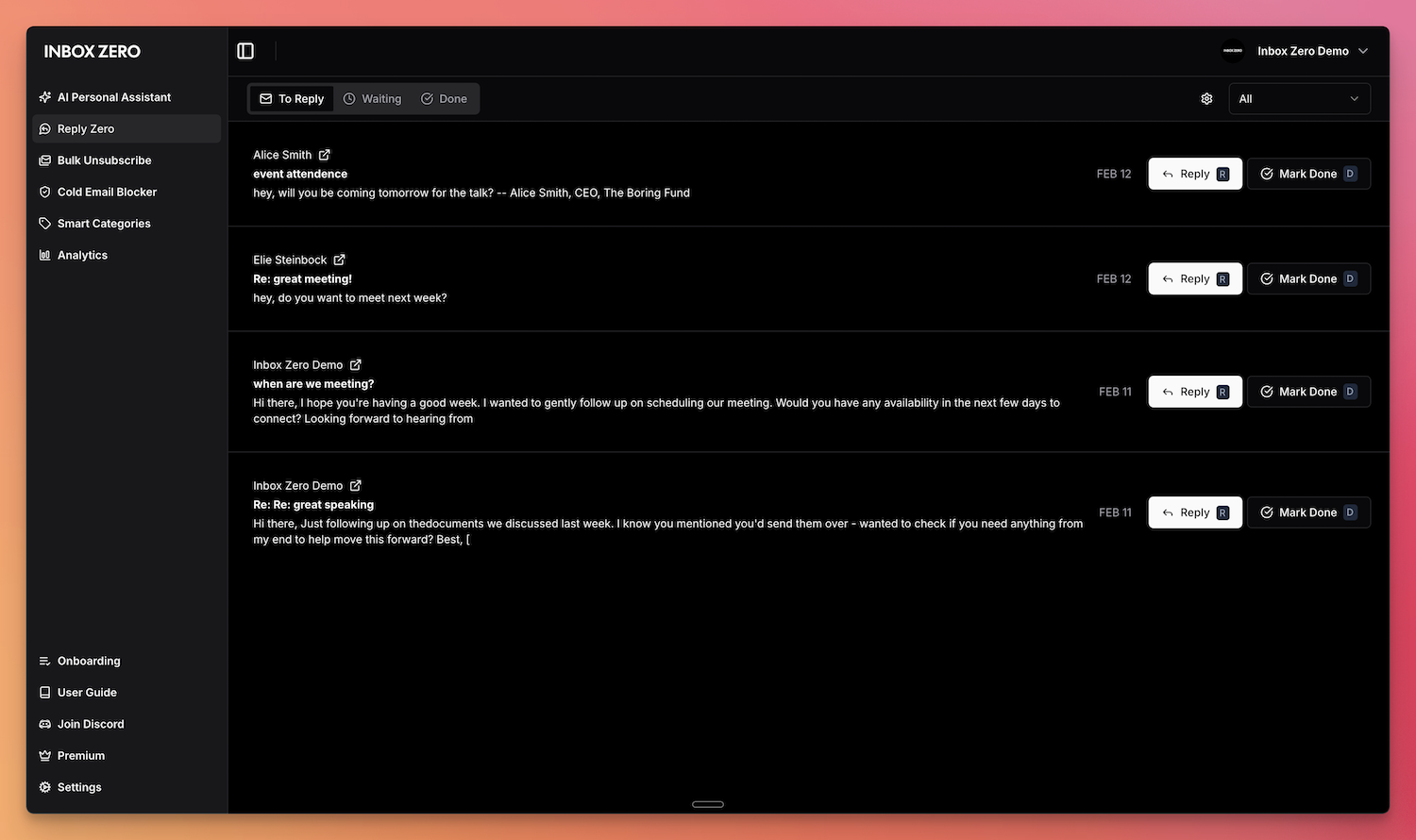
- Reply Zero: Yanıt vermek gereken e-postaları ve yanıt bekleyenleri takip edin.
- Toplu Abonelik İptali: Bir tıkla okumadığınız e-postaları abonelikten çıkartıp arşivleyin.
- Toplu Arşivleyici: Eski e-postaları toplu arşivleyerek inbox'unuzu temizleyin.
- Soğuk E-posta Engelleyicisi: Soğuk e-postaları otomatik olarak engelleyin.
- E-posta Analitikleri: Etkinliğinizi ve eğilimleri zaman içinde takip edin.
- Toplantı Özeti: Her toplantıdan önce e-posta ve takvimden bağlam çekerek kişiselleştirilmiş özetler alın.
- Akıllı Dosyalama: E-posta eklerini otomatik olarak Google Drive veya OneDrive'a kaydedin.
- Slack & Telegram Entegrasyonu: Zaten kullandığınız uygulamaları terk etmeden inbox'unuzu yönetmek için Slack veya Telegram'dan AI asistanınızla sohbet edin.
Daha fazla bilgi için dokümantasyonumuza göz atın.
Özellik Ekran Görüntüleri
 |
 |
|---|---|
| AI Asistanı | Reply Zero |
 |
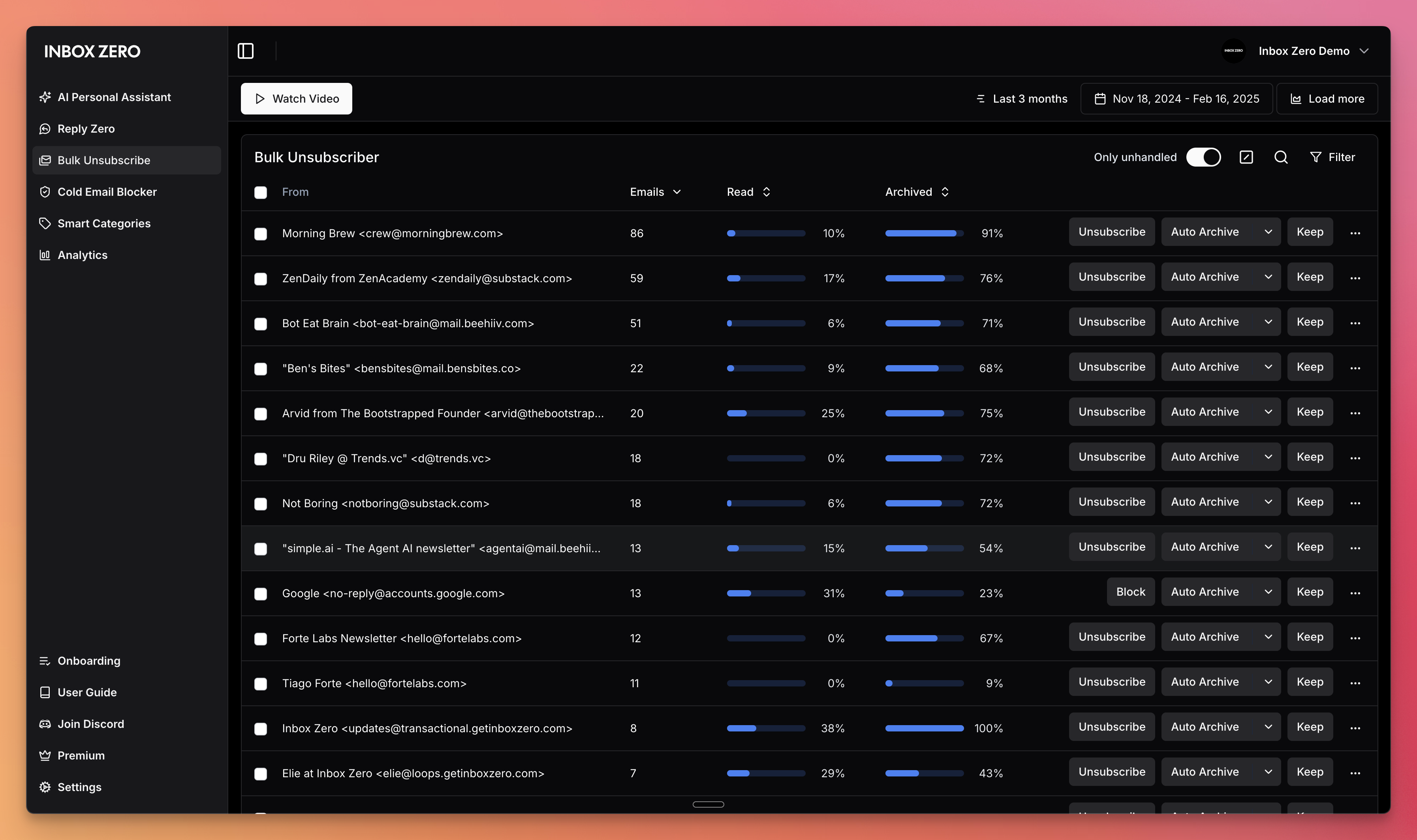 |
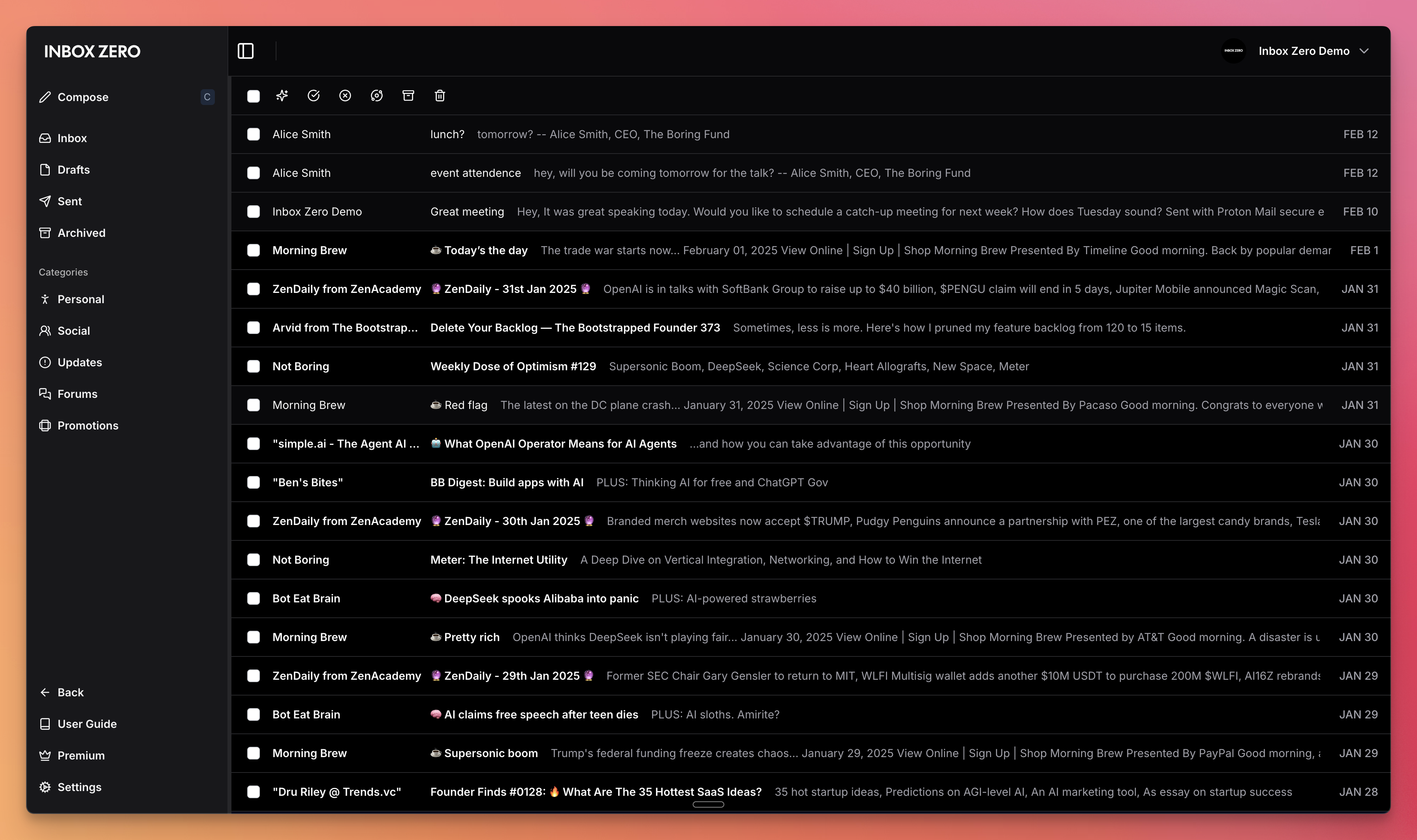
| Gmail istemcisi | Toplu Abonelik İptali |
Demo Video

Yapıyla
Star Geçmişi
Özellik İstekleri
Özellik isteği göndermek için bir GitHub issue açın veya Discord topluluğumuza katılın.
Başlangıç
Inbox Zero'nun barındırılan versiyonunu getinboxzero.com adresinde sunuyoruz.
Kendi Sunucunuzda Barındırma
Inbox Zero'yu kendi sunucunuzda barındırmanın en hızlı yolu CLI ile:
npx @inbox-zero/cli setup      # One-time setup wizard
npx @inbox-zero/cli start      # Start containers
http://localhost:3000 adresini açın
Tam kendi sunucunuzda barındırma talimatları, üretim dağıtımı, OAuth kurulumu ve yapılandırma seçenekleri için Kendi Sunucunuzda Barındırma Dokümantasyonu bölümüne bakın.
Yerel Geliştirme
git clone https://github.com/elie222/inbox-zero.git
cd inbox-zero
docker compose -f docker-compose.dev.yml up -d   # Postgres + Redis
pnpm install
npm run setup                                     # Interactive env setup
cd apps/web && pnpm prisma migrate dev && cd ../..
pnpm dev
http://localhost:3000 adresini açın
pnpm install sonrasında, yerel Google emülatörü kullanmak istiyorsanız, bunu şu komutla başlatın:
docker compose -f docker-compose.dev.yml --profile google-emulator up -d
Daha sonra apps/web/.env dosyasında şu ayarları yapın:
GOOGLE_BASE_URL=http://localhost:4002
GOOGLE_CLIENT_ID=emulate-google-client.apps.googleusercontent.com
GOOGLE_CLIENT_SECRET=emulate-google-secret
Yerel Microsoft emülatörü kullanmak istiyorsanız, bunu şu komutla başlatın:
docker compose -f docker-compose.dev.yml --profile microsoft-emulator up -d
Daha sonra apps/web/.env dosyasında şu ayarları yapın:
MICROSOFT_BASE_URL=http://localhost:4003
MICROSOFT_CLIENT_ID=emulate-microsoft-client-id
MICROSOFT_CLIENT_SECRET=emulate-microsoft-secret
DevContainer kurulumu dahil daha fazla ayrıntı için Katkı Rehberi bölümüne bakın.
Katkı Sağlama
GitHub Issues adresinde açık görevleri görüntüleyin ve üzerinde çalışılanları tartışmak için Discord topluluğumuza katılın.
Docker image'leri main branch'e her push işleminde otomatik olarak oluşturulur ve commit SHA'sı ile etiketlenir (örneğin, elie222/inbox-zero:abc1234). latest etiketi her zaman en son main derlemesini işaret eder. Resmi sürümler sürüm etiketleri kullanır (örneğin, v2.26.0).
Benzer MCP sunucuları
WhatsApp mesajlarınızda arama yapmanızı, kişilerinizi görüntülemenizi ve bireysel ya da grup sohbetlerine mesaj göndermenizi sağlayan bir MCP sunucusu.
Slack Çalışma Alanları için en güçlü MCP sunucusu.
Telegram API entegrasyonu ile kullanıcı verilerine erişim, diyalogları (sohbetler, kanallar, gruplar) yönetme, mesajları alma ve gönderme, okundu durumunu takip etme olanakları sunur.
Microsoft Office ve Microsoft 365 ekosisteminin tamamına (Outlook, mail, dosyalar, Excel, takvim) Graph API üzerinden bağlanan MCP sunucusu.
LINE Resmi Hesabı Entegrasyonu için MCP Server
Tarayıcı tabanlı toplantı platformlarıyla (Zoom, Teams, Google Meet) etkileşim kurmak için MCP server. AI ajanlarının çevrimiçi toplantılara bot göndermesine, canlı transkriptleri toplamasına, metni seslendirmesine ve toplantı sohbetinde mesaj göndermesine olanak tanır.