mrexodia/ida-pro-mcp
IDA Pro için MCP sunucusu, AI asistanları ile binary analiz yapmanızı sağlar. Plugin decompilation, disassembly işlemlerini gerçekleştirir ve malware analiz raporlarını otomatik olarak oluşturmanıza imkan tanır.
Claude Desktop config.json'a ekle
{
  "mcpServers": {
    "mrexodia-ida-pro-mcp": {
      "command": "python",
      "args": [
        "-m",
        "ida_pro_mcp"
      ]
    }
  }
}
Kaynak kodu al ve yerel olarak çalıştır
git clone https://github.com/mrexodia/ida-pro-mcp.git ~/.mcp/ida-pro-mcp
cd ~/.mcp/ida-pro-mcp
Bu MCP sunucusu hakkında
IDA Pro MCP
Simple MCP Server IDA Pro'da tersine mühendislik yapmaya olanak tanıyan sunucu.
https://github.com/user-attachments/assets/6ebeaa92-a9db-43fa-b756-eececce2aca0
Videoda kullanılan ikili dosyalar ve prompt, mcp-reversing-dataset deposunda mevcuttur.
Ön Koşullar
- Python (3.11 veya üstü)
- En yeni Python sürümüne geçmek için
idapyswitchkullanın
- En yeni Python sürümüne geçmek için
- IDA Pro (8.3 veya üstü, 9 önerilir), IDA Free desteklenmemektedir
- Desteklenen MCP İstemci (istediğiniz birini seçin)
- Amazon Q Developer CLI
- Augment Code
- Claude
- Claude Code
- Cline
- Codex
- Copilot CLI
- Crush
- Cursor
- Gemini CLI
- Kilo Code
- Kiro
- LM Studio
- Opencode
- Qodo Gen
- Qwen Coder
- Roo Code
- Trae
- VS Code
- VS Code Insiders
- Warp
- Windsurf
- Zed
- Diğer MCP İstemcileri: İstemciniz için JSON config'i almak için
ida-pro-mcp --configçalıştırın.
Kurulum (Claude Code)
Headless IDA Pro MCP'yi Claude Code'a kurmak için:
claude plugin marketplace add mrexodia/claude-marketplace
claude plugin install ida-pro-mcp@mrexodia
En yeni sürüme güncellemek için:
claude plugin update ida-pro-mcp@mrexodia
Not: Bu, idalib'in global olarak etkinleştirilmesini ve uv kurulumunu gerektirir:
# windows
uv run "C:\Program Files\IDA Professional 9.3\idalib\python\py-activate-idalib.py"
# macos
uv run "/Applications/IDA Professional 9.3.app/Contents/MacOS/idalib/python/py-activate-idalib.py"
Kurulum (GUI)
Not: MCP eklentisi artık önerilmemektedir ve sonunda kaldırılacaktır. Bunun yerine idalib-mcp kullanın.
MCP sunucusunu IDA GUI'den manuel olarak yapılandırmak istiyorsanız:
pip uninstall ida-pro-mcp
pip install https://github.com/mrexodia/ida-pro-mcp/archive/refs/heads/main.zip
MCP sunucularını yapılandırın ve IDA Eklentisini yükleyin:
ida-pro-mcp --install
Önemli: Kurulumun etkili olması için IDA ve MCP istemcinizi tamamen yeniden başlattığınızdan emin olun. Bazı istemciler (Claude gibi) arka planda çalışır ve sistem tepsisinden kapatılması gerekir.
Prompt Mühendisliği
LLM'ler halüsinasyona eğilimlidir ve promptinginizi spesifik olmalıdır. Tersine mühendislik için tam sayılar ile baytlar arasındaki dönüşüm özellikle sorunludur. Aşağıda minimal bir örnek prompt bulunmaktadır, farklı bir promptla iyi sonuçlar elde ettiyseniz bir tartışma başlatmaktan veya issue açmaktan çekinmeyin:
Göreviniz IDA Pro'da bir crackme'yi analiz etmektir. MCP araçlarını kullanarak bilgi alabilirsiniz. Genel olarak aşağıdaki stratejiyyi izleyin:

- Decompilation'ı inceleyin ve bulgularınızla yorumlar ekleyin
- Değişkenleri daha anlamlı isimlere yeniden adlandırın
- Değişken ve argument türlerini gerekirse değiştirin (özellikle pointer ve array türleri)
- Function isimlerini daha açıklayıcı olacak şekilde değiştirin
- Daha fazla detay gerekiyorsa, function'ı disassemble edin ve yorumlar ekleyin
- ASLA sayı tabanlarını kendiniz dönüştürmeyin. Gerekirse `int_convert` MCP aracını kullanın!
- Brute force yapmaya çalışmayın, çözümleri tamamen disassembly ve basit python scriptlerinden türetin
- Sonunda bulduğunuz bulgularınız ve attığınız adımlarla report.md oluşturun
- Bir çözüm bulduğunuzda, kullanıcıdan geri bildirim isteyin ve bulduğunuz şifreyi bildirin
Bu prompt sadece ilk deneydi, output'u iyileştirme yolları bulduysanız lütfen paylaşın!
@can1357 tarafından sağlanmış başka bir prompt:
Göreviniz kapsamlı ve tamamlanmış bir tersine mühendislik analizi oluşturmaktır. Proje hedeflerini anlamak ve analizi amacımıza uygun hale getirmek için AGENTS.md dosyasına başvurun.

Aşağıdaki sistematik metodoloji kullanın:

1. **Decompilation Analizi**
   - Decompiler çıktısını iyice inceleyin
   - Bulgularınızı belgelendiren detaylı yorumlar ekleyin
   - Her bileşenin gerçek işlevselliğini ve amacını anlamaya odaklanın (eski, yanlış yorumlara güvenmeyin)

2. **Veri Tabanında Okunabilirliği İyileştirin**
   - Değişkenleri anlamlı, açıklayıcı isimlerle yeniden adlandırın
   - Değişken ve argument türlerini gerekli yerlerde düzeltin (özellikle pointer ve array türleri)
   - Function isimlerini gerçek amacını yansıtacak şekilde güncelleyin

3. **Gerektiğinde Derin İnceleme**
   - Daha fazla detay gerekiyorsa, assembly'i inceleyin ve yorumlar ekleyin
   - Decompilation'dan net olmayan düşük seviye davranışları belgelendirin
   - Detaylı analiz için alt-ajanları kullanın

4. **Önemli Kısıtlamalar**
   - ASLA sayı tabanlarını kendiniz dönüştürmeyin - gerekirse int_convert MCP aracını kullanın
   - Bilgi almak için gerektiğinde MCP araçlarını kullanın
   - Tüm sonuçları gerçek analiz üzerinden türetin, varsayımlardan değil

5. **Dokumentasyon**
   - Bulduğunuz bilgilerle kapsamlı RE/*.md dosyaları üretin
   - Attığınız adımları ve kullandığınız metodoloji belgelendirin
   - Kullanıcı tarafından istendiğinde, önceki analiz dosyasından daha doğru olun
   - Bulguları AGENTS.md veya CLAUDE.md'de açıklanan proje hedefleri doğrultusunda organize edin
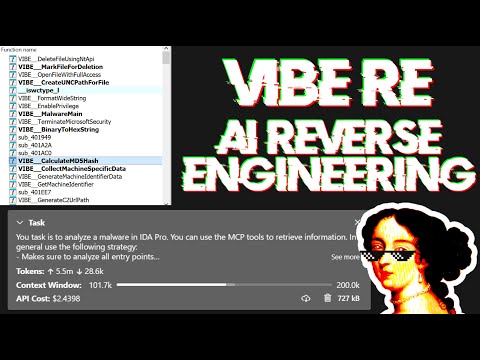
Prompting hakkında tartışan ve bazı gerçek dünya kötü amaçlı yazılım analizini gösteren canlı yayın:
LLM Doğruluğunu Artırmak İçin İpuçları
Büyük Dil Modelleri (LLM'ler) güçlü araçlardır, ancak bazen karmaşık matematiksel hesaplamalarla mücadele edebilir veya "halüsinasyonlar" (gerçeği uydurma) gösterebilirler. LLM'ye int_convert MCP aracını kullanmasını söylediğinizden emin olun ve belirli işlemler için math-mcp gerekebilir.
Aklınızda tutulması gereken bir diğer şey, LLM'lerin obfüskeli kod üzerinde iyi performans göstermeyeceğidir. LLM'yi problemi çözmeye çalışmadan önce, ikili dosyanın etrafına bakın ve aşağıdaki şeyleri (otomatik olarak) kaldırmaktan kurtulmak için biraz zaman harcayın:
- String şifreleme
- Import hashing
- Control flow flattening
- Code şifreleme
- Anti-decompilation hileleri
Açık kaynak kütüphane kodunu ve C++ STL'yi çözmeye çalışmak için Lumina veya FLIRT gibi bir araç kullanmalısınız, bu doğruluğu daha da iyileştirecektir.
Taşıma & Headless MCP
Kullanıcı arayüzüne bağlanmak için SSE sunucusunu şu şekilde çalıştırabilirsiniz:
uv run ida-pro-mcp --transport http://127.0.0.1:8744/sse
idalib kurulduktan sonra, headless MCP sunucusu da çalıştırabilirsiniz. İlk ikili dosyayla başlayabilirsiniz:
uv run idalib-mcp --host 127.0.0.1 --port 8745 path/to/executable
Veya ikili dosya olmadan başlayın ve daha sonra idalib_open(...) / idalib_close(...) ile rasgele dosyaları açın/kapatın:
uv run idalib-mcp --host 127.0.0.1 --port 8745
Stdio tabanlı istemciler için şunu kullanın:
uv run idalib-mcp --stdio
--stdio veritabanı durumunu MCP sunucu işlemi içinde tutar. Codex alt-ajanları gibi ayrı MCP sunucu işlemleri oluşturan stdio istemcileri için, bunun yerine --stdio-shared kullanın:
uv run idalib-mcp --stdio-shared
--stdio-shared paylaşılan yerel HTTP supervisor başlatır veya yeniden kullanır ve stdio JSON-RPC'yi ona proxy'ler, böylece ayrı stdio MCP işlemleri aynı açık veritabanı worker'larını paylaşabilirler.
Not: idalib özelliği Willi Ballenthin tarafından katkıda bulunulmuştur.
Headless idalib Oturum Modeli
idalib-mcp her açık veritabanını kendi idalib worker işleminde tutan bir supervisor'dur. input_path olmadan başlama desteklenir; veritabanları dinamik olarak açmak için idalib_open(input_path, ...) ve kapatmak için idalib_close(session_id) kullanın. Bu, tek bir headless MCP sunucusunun yaşamı boyunca rasgele dosyalarla çalışmasına olanak tanır.
İstenen IDB, GUI IDA örneğinde eklentiyi çalıştıran bir örnekte zaten açılmışsa, idalib-mcp yinelenen bir headless worker oluşturmak yerine bu GUI örneğini kullanacaktır. GUI örneği daha sonra kaybolursa, sonraki yönlendirilmiş istek, mümkün olduğunda veritabanını headless worker'da yeniden açar. Kaydedilmemiş GUI-only değişiklikler, fallback'ten sonra görünür olması gerekiyorsa önce kaydedilmeli.
Araçlar, geçerli MCP bağlamına bağlı veritabanını veya açık bir database argümanını hedefler.
uv run idalib-mcp --stdio --max-workers 4
Tipik akış:
idalib_open("/path/to/binary_a.exe", session_id="binary_a")
idalib_open("/path/to/library.dll", session_id="library")

decompile("main", database="binary_a")
xrefs_to("ImportantExport", database="library")
database, session ID'si, dosya adı veya input yolunu kabul eder. Atlanırsa, araçlar aktif bağlama bağlı veritabanını kullanır.
Katı per-transport izolasyonunu etkinleştirmek için --isolated-contexts kullanın:
uv run idalib-mcp --isolated-contexts --host 127.0.0.1 --port 8745 path/to/executable
Neden --isolated-contexts kullanmalı?
Birden fazla aracı aynı idalib-mcp sunucusuna bağladığınızda ve deterministik bağlam izolasyonu istediğinizde kullanın:
- Bir aracının başka bir aracının aktif veritabanını yanlışlıkla değiştirmesini engelleyin.
- Her transport bağlamının varsayılan veritabanını açık tutun.
- Yine de
database=...geçerek veya birden fazla aracı aynı session ID'sine bağlayarak bilinçli işbirliğine izin verin.
--isolated-contexts etkinleştirildiğinde:
- Her transport bağlamının kendi bağlaması vardır (MCP için
Mcp-Session-Id, SSE içinsession, stdio içinstdio:default). - Sınır olmayan bağlamlar,
databasesağlanmadıkça IDB'ye bağlı araçlar/kaynaklar için hızlı başarısız olur. idalib_switch(session_id)veidalib_open(...)yalnızca çağrıyı yapan bağlamı bağlar.
Streamable HTTP davranışı
--isolated-contexts ile birlikte, Mcp-Session-Id doğrulaması da dahil olmak üzere katı Streamable HTTP oturum semantiği etkinleştirilir.
Bağlam araçları
idalib_open(input_path, ...): İkili dosyayı worker'da aç ve aktif bağlam politikasına bağla.idalib_switch(session_id): Aktif bağlam politikasını mevcut bir oturuma yeniden bağla.idalib_current(): Aktif bağlam politikasına bağlı oturumu döndür.idalib_unbind(): Aktif bağlam bağlantısını kaldır.idalib_list():is_active,is_current_context,bound_contexts, backend (workerveyagui) ve işlem ID'lerini içerir.
Worker kontrolleri:
--max-workers N: maksimum eşzamanlı veritabanı worker'ları (0= sınırsız, varsayılan4).IDA_MCP_MAX_WORKERS:--max-workersiçin environment varsayılanı.
MCP Kaynakları
Kaynaklar, MCP'nin felsefesini takip eden taranabilir durumu (salt okunur veri) temsil eder.
Temel IDB Durumu:
ida://idb/metadata- IDB dosya bilgisi (yol, mimari, taban, boyut, hashler)ida://idb/segments- Bellek segmentleri izinlerleida://idb/entrypoints- Entry pointler (main, TLS callbacks, vb.)
UI Durumu:
ida://cursor- Geçerli cursor konumu ve functionida://selection- Geçerli seçim aralığı
Tip Bilgisi:
ida://types- Tüm yerel tiplerida://structs- Tüm yapılar/unionsida://struct/{name}- Alanlarla yapı tanımı
Aramalar:
ida://import/{name}- Ada göre import detaylarıida://export/{name}- Ada göre export detaylarıida://xrefs/from/{addr}- Adresden cross-reference'lar
Temel Fonksiyonlar
lookup_funcs(queries): Adres veya ada göre function'ları al (otomatik-algılar, liste veya virgülle ayrılmış string kabul eder).int_convert(inputs): Sayıları farklı formatlara dönüştür (decimal, hex, bytes, ASCII, binary).list_funcs(queries): Function'ları listele (sayfalanmış, filtrelenmiş).list_globals(queries): Global değişkenleri listele (sayfalanmış, filtrelenmiş).imports(offset, count): Tüm içe aktarılan sembolleri modül isimleriyle listele (sayfalanmış).decompile(addr): Verilen adreste function'ı decompile et.disasm(addr): Function'ı tam detaylarla disassemble et (argumentler, stack frame, vb).xrefs_to(addrs): Adres(ler)e tüm cross-reference'ları al.xrefs_to_field(queries): Spesifik struct alanına cross-reference'ları al.callees(addrs): Adres(ler)deki function tarafından çağrılan function'ları al.
Modifikasyon İşlemleri
set_comments(items): Disassembly ve decompiler görünümlerinde adres(ler)de yorum ayarla.patch_asm(items): Adres(ler)deki assembly instruction'ları yamayla.declare_type(decls): Yerel tip kütüphanesinde C tipi(leri) deklarasyon et.define_func(items): Adres(ler)de function(ları) tanımla. İsteğe bağlı olarak açık sınırlar içinendbelirt.define_code(items): Baytları adres(ler)de kod instruction'larına dönüştür.undefine(items): Adres(ler)deki item(ları) tanımsız yap, ham baytlara dönüştür. İsteğe bağlı olarakendveyasizebelirt.
Bellek Okuma İşlemleri
get_bytes(addrs): Adres(ler)deki ham baytları oku.get_int(queries): Tamsayı değerlerini ty kullanarak oku (i8/u64/i16le/i16be/vb).get_string(addrs): Null-sonlandırılmış string(ler)i oku.get_global_value(queries): Global değişken değer(ler)ini adres veya ada göre oku (otomatik-algılar, derleme zamanı değerleri).
Stack Frame İşlemleri
stack_frame(addrs): Function(ları) için stack frame değişkenlerini al.declare_stack(items): Belirtilen offset(ler)de stack değişkeni(leri) oluştur.delete_stack(items): Ada göre stack değişkeni(leri) sil.
Yapı İşlemleri
read_struct(queries): Spesifik adres(ler)de yapı alanı değerlerini oku.search_structs(filter): İsim desenine göre yapıları ara.
Hata Ayıklayıcı İşlemleri (Uzantı)
Hata ayıklayıcı araçları varsayılan olarak gizlidir. ?ext=dbg sorgu parametresi ile etkinleştirin:
http://127.0.0.1:13337/mcp?ext=dbg
Kontrol:
dbg_start(): Hata ayıklayıcı işlemini başlat.dbg_exit(): Hata ayıklayıcı işlemini çık.dbg_continue(): Yürütmeyi devam ettir.dbg_run_to(addr): Adrese kadar çalıştır.dbg_step_into(): Instruction'a adım at.dbg_step_over(): Instruction'ı geç.
Breakpoint'ler:
dbg_bps(): Tüm breakpoint'leri listele.dbg_add_bp(addrs): Breakpoint(ler) ekle.dbg_delete_bp(addrs): Breakpoint(leri) sil.dbg_toggle_bp(items): Breakpoint(leri) etkinleştir/devre dışı bırak.
Register'lar:
dbg_regs(): Tüm register'lar, geçerli thread.dbg_regs_all(): Tüm register'lar, tüm thread'ler.dbg_regs_remote(tids): Tüm register'lar, spesifik thread(ler).dbg_gpregs(): GP register'ları, geçerli thread.dbg_gpregs_remote(tids): GP register'ları, spesifik thread(ler).dbg_regs_named(names): Adlandırılmış register'lar, geçerli thread.dbg_regs_named_remote(tid, names): Adlandırılmış register'lar, spesifik thread.
Stack & Bellek:
dbg_stacktrace(): Modül/sembol bilgisiyle call stack.dbg_read(regions): Hata ayıklanan işlemden bellek oku.dbg_write(regions): Hata ayıklanan işleme bellek yaz.
İleri Analiz İşlemleri
py_eval(code): IDA bağlamında rasgele Python kodu yürüt (result/stdout/stderr içeren dict döndürür, Jupyter-style evaluationı destekler).analyze_funcs(addrs): Kapsamlı function analizi (decompilation, assembly, xrefs, callees, callers, strings, constants, basic blocks).
Desen Eşleştirme & Arama
find_regex(queries): Büyük/küçük harf duyarlı olmayan regex ile string'leri ara (sayfalanmış).find_bytes(patterns, limit=1000, offset=0): İkili dosyada bayt deseni(leri)ni bul (ör. "48 8B ?? ??"). Maks limit: 10000.find_insns(sequences, limit=1000, offset=0): Koddaki instruction sequence(ler)ini bul. Maks limit: 10000.find(type, targets, limit=1000, offset=0): Gelişmiş arama (immediate değerleri, string'ler, data/code referans'ları). Maks limit: 10000.
Kontrol Akışı Analizi
basic_blocks(addrs): Successor'lar ve predecessor'larla basic block'ları al.
Tip İşlemleri
set_type(edits): Tipi(leri) function'lara, global'lere, local'lere veya stack değişkenlerine uygula.infer_types(addrs): Hex-Rays veya heuristics kullanarak adres(ler)deki tipleri çıkart.
Export İşlemleri
export_funcs(addrs, format): Function(ları) belirtilen formatta export et (json, c_header, veya prototypes).
Graph İşlemleri
callgraph(roots, max_depth): Root function(ları)ndan yapılandırılabilir derinlikle call graph oluştur.
Batch İşlemleri
rename(batch): Function'lar, global'ler, local'ler ve stack değişkenleri için unified batch yeniden adlandırma işlemi (isteğe bağlıfunc,data,local,stackkey'lerine sahip dict kabul eder).patch(patches): Aynı anda birden fazla bayt sequence'ini yamayla.put_int(items): Tamsayı değerlerini ty kullanarak yaz (i8/u64/i16le/i16be/vb).
Temel Özellikler:
- Tip-güvenli API: Tüm function'lar, daha iyi IDE desteği ve LLM yapılandırılmış output'ları için TypedDict şemalarıyla güçlü tipi-parametreyi kullanır
- Batch-first tasarım: Çoğu işlem tek öğeleri ve listeleri kabul eder
- Tutarlı hata işleme: Tüm batch işlemleri
[{..., error: null|string}, ...]döndürür - Cursor tabanlı sayfalandırma: Arama function'ları
cursor: {next: offset}veya{done: true}döndürür (varsayılan limit: 1000, zorunlu maks: 10000 token taşması önlemek için) - Performans: String'ler MD5-tabanlı geçersizleştirilme ile önbelleğe alınır, büyük projelerde tekrarlanan
build_strlistçağrılarını önlemek için
Geliştirme
Yeni özellikler eklemek çok kolay ve akışlı bir işlemdir. Yapmanız gereken tek şey, src/ida_pro_mcp/ida_mcp/api_*.py içindeki modüler API dosyalarına yeni bir @tool function'ı eklemektir ve function'ınız hiçbir ek standart kod olmadan MCP sunucusunda kullanılabilir hale gelecektir! Aşağıda get_metadata function'ını 2 dakikadan kısa sürede ekleyen bir video bulunmaktadır (test dahil):
https://github.com/user-attachments/assets/951de823-88ea-4235-adcb-9257e316ae64
MCP sunucusunun kendisini test etmek için:
npx -y @modelcontextprotocol/inspector
Bu, http://localhost:5173 adresinde bir web arayüzü açacak ve test için MCP araçlarıyla etkileşim kurmanıza izin verecektir.
Test için, IDA eklentisine sembolik bir bağlantı oluştururum ve ardından doğrudan http://localhost:13337/mcp adresine JSON-RPC isteği POST ederim. Sembolik bağlantıları etkinleştirdikten sonra aşağıdaki komutu çalıştırabilirsiniz:
Benzer MCP sunucuları
Ghidra için bir Model Context Protocol sunucusu olup LLM'lerin uygulamaları özerk şekilde ters mühendislik yapmasını sağlar. Binary dosyaları derlemesini açma, metod ve veri adlandırma, metod/sınıf/import/export listeleme araçlarını sunar.
JADX-AI-MCP, JADX decompiler için bir plugin ve MCP Server olup Model Context Protocol (MCP) ile entegre edilerek Claude gibi LLM'lerle canlı reverse engineering desteği sağlar.
Beelzebub, MCP kullanarak honeypot araçları oluşturmanızı sağlayan bir framework'tür. Prompt injection ve kötü niyetli agent davranışlarını tespit etmek için tasarlanmıştır. Temel konsept, agente normal çalışmasında asla kullanmayacağı araçlar sunarak tehditli aktiviteleri yakalamaktır.
vet-mcp, yapay zeka kodlama araçları tarafından önerilen npm ve PyPI paketleri gibi açık kaynak paketleri güvenlik açıkları ve kötü amaçlı kodlar açısından kontrol eder. Docker üzerinde veya bağımsız bir binary olarak yerel olarak çalışarak hızlı ve otomatik doğrulama sağlar.
AI ajanlarının Semgrep kullanarak kodda güvenlik açıklarını taramasına izin verir.
Ghidra için native Model Context Protocol sunucusu. GUI konfigürasyon ve logging içerir, 31 güçlü tool ve harici bağımlılık yok.